Wondering about OLED vs LCD for VR before you slot a phone into a viewer? Pick OLED for deep blacks and fast pixels, LCD for sharper text and no burn-in. Neither wins every time.
If you are still choosing a handset, start with our guide to the best smartphones for vr.
| Item | Value |
|---|---|
| PenTile OLED subpixels per pixel | Full green set, only half the red and half the blue |
| RGB-stripe LCD subpixels vs PenTile OLED at the same resolution | 50% more |
| Typical VR LCD contrast | Near 1,000:1 |
| Original Quest (OLED) vs Quest 2 (LCD), pixels per eye | 1440×1600 vs 1832×1920 |
| Micro-OLED pixel density on a sub-inch panel | Above 4,000 PPI |
These figures come from the VR and AR Wiki pages on LCD and OLED. Specs and products change, so check the sources before you rely on them.
How OLED and LCD make light
An OLED (organic light-emitting diode) pixel emits its own light, with no separate backlight, according to the VR and AR Wiki. An LCD works the other way: a backlight shines through liquid crystals that act as shutters, and some light always leaks through even on a black pixel, as the wiki’s LCD page explains.
Pimax, a headset maker, makes the same point from the OLED side: a black OLED pixel is electrically off. It adds that even with local dimming, the smallest controllable backlight zone still covers thousands of pixels, as its own blog post states.
Both panel types matter more in VR than on a phone held at arm’s length, because the panel sits only a few centimeters from the eye and is magnified by lenses, per the wiki’s Display page. Those sources describe dedicated headsets rather than phones. The advice below applies their display physics to a phone in a viewer, so treat it as reasoning, not a test of any specific handset.
Where OLED helps in VR
OLED’s strengths show up in dark scenes and fast head turns.
- True black: the OLED page says blacks are genuinely black rather than a backlight leaking through a shutter, which matters in an enclosed viewer (VR and AR Wiki, OLED).
- Fast pixels: John Carmack wrote that OLED pixels can have switching times well under a millisecond, as the wiki’s refresh-rate page quotes.
- Clean low persistence: showing each frame for only a few milliseconds and going dark for the rest sharply reduces blur, per the Display page.
The weak points are mostly about panel layout and ageing. The OLED page lists four:
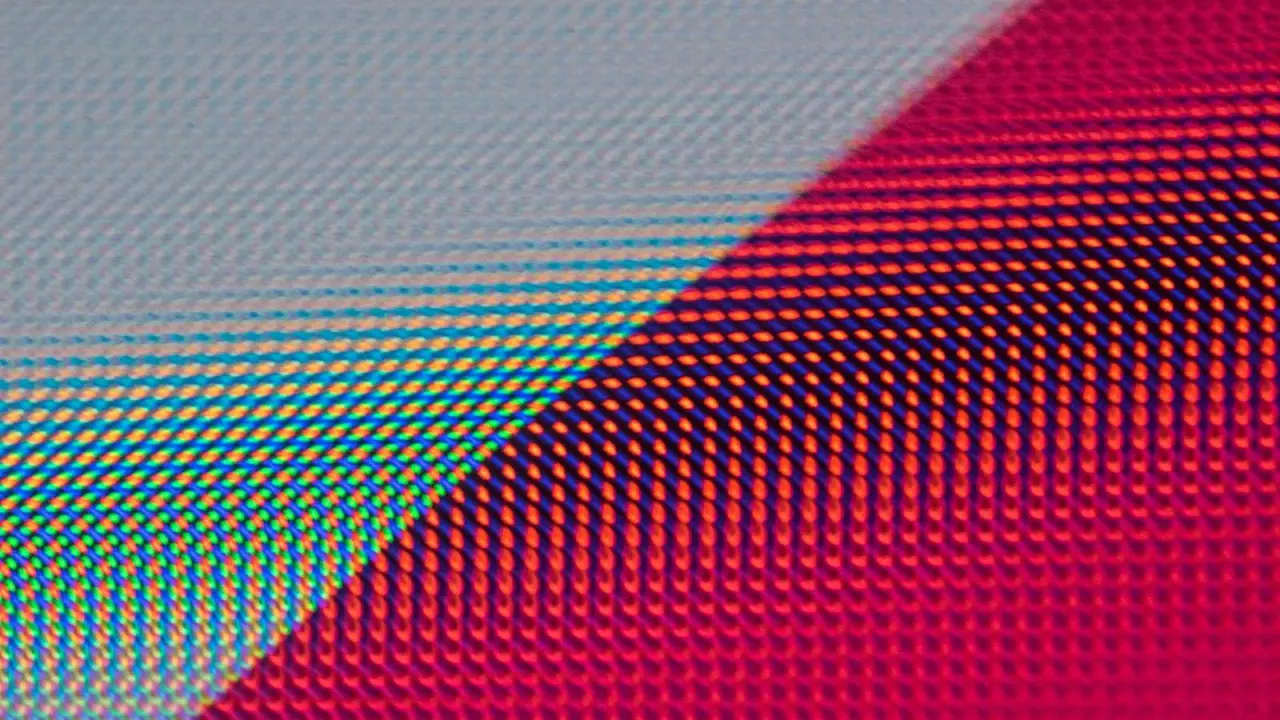
- PenTile layout: phone-class OLED panels typically used PenTile rather than a full RGB stripe, so the gaps between subpixels show up as a screen-door effect.
- Mura: OLED panels often show a faint non-uniform noise that becomes obvious on flat, dim, full-screen colors.
- Burn-in: static elements such as menus can in principle leave a permanent ghost over time.
- Brightness: strobing for low persistence throws away most of the panel’s light budget, so images can look dim.
Where LCD helps in VR
LCD trades deep blacks for a cleaner pixel grid. An RGB-stripe LCD gives every pixel its own red, green and blue subpixel, so it has 50% more subpixels than a PenTile OLED of the same resolution, according to the LCD page. Zhao et al., cited on the refresh-rate page, note that the screen-door effect is particularly common in headsets with PenTile OLED displays.
The same LCD page lists three more practical advantages:
- No burn-in: LCD subpixels do not degrade from displaying static images, so persistent menus carry no permanent-ghost risk.
- Sustained brightness: LCD headsets can hold high full-screen brightness more easily than OLED.
- Cost: high-resolution LCD manufacturing is mature and high-volume, which made dense panels cheaper and easier to source than equivalent OLEDs.
Liquid crystals are slow, which used to be LCD’s big problem. A display supplier’s DisplayModule blog post says fast-switch LCD cuts response time to 5 ms or less and flashes the backlight only after the pixels have settled.
Contrast is the cost. A standard VR LCD sits near 1,000:1, far below OLED’s effectively infinite ratio, per the LCD page. Higher-end headsets answer with mini-LED local dimming, which splits the backlight into many independently controlled zones, but the zones are still coarser than single pixels.
Which should you pick for a phone in a viewer?
Use these steps to decide, based on what you will actually watch.
- Look up whether your phone’s screen is OLED or LCD in its spec sheet.
- Think about your content: dark scenes such as space or night views favor OLED, while text-heavy menus and reading favor LCD.
- Check the resolution, because a coarse pixel grid magnified by a lens makes the screen-door effect worse.
- Run a dark, flat loading screen and look for blotchy patches (mura) on an OLED or grey, washed-out blacks on an LCD.
- If you leave one static interface on screen for long sessions, remember burn-in is an OLED-only risk.
Panel type is only one part of the choice. If you are weighing platforms too, our take on iphone vs android for vr covers the wider trade-offs. If you are not sure your handset works at all, see does my phone support vr first.
What did headset makers learn from OLED vs LCD?
The consumer VR generation that began in the early 2010s was made possible partly by the smartphone display supply chain, per the wiki’s Display page. The Oculus Rift DK2 of 2014 then switched to OLED and introduced low persistence to cut motion blur. When the Oculus Rift CV1, the HTC Vive and the original PlayStation VR all shipped in 2016, every one of them used OLED, per the OLED page.
Around 2019 and 2020, several major products dropped OLED for fast-switch LCD. The original Oculus Quest (2019) used dual PenTile OLED panels at 1440×1600 per eye, and the Quest 2 (2020) used a fast-switch RGB-stripe LCD at 1832×1920 per eye. That LCD carried roughly 50 percent more pixels and three subpixels each instead of two, at the cost of true black.

OLED did return in a different form. Micro-OLED is built on silicon rather than glass and yields pixel densities above 4,000 PPI on a sub-inch panel, far beyond what glass OLED can reach, per the same page. That is a headset technology, not something you will find in a phone slotted into a viewer.
Frequently asked questions
Is OLED or LCD better for VR?
Show answer
Neither is better in every case. OLED gives true black and very fast pixels, while LCD gives a cleaner RGB-stripe grid, no burn-in and lower cost, per the VR and AR Wiki’s OLED and LCD pages.
Can VR burn in an OLED screen?
Show answer
In principle, yes. Static elements such as menus can leave a permanent ghost over time because each OLED pixel ages with use, a risk LCD does not share, according to the OLED page.
Why do blacks look grey on an LCD?
Show answer
The backlight is always on behind the panel, so some light leaks through even a black pixel. The LCD page puts a standard VR LCD near 1,000:1 contrast.
Does LCD cause motion blur in VR?
Show answer
Liquid crystals are slower than OLED pixels, but fast-switch panels strobe the backlight after the pixels settle. A display supplier puts their response time at 5 ms or less.